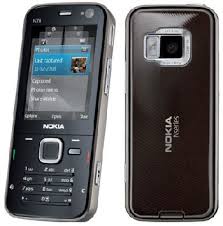

yo... recently i bought N78 Nokia with 3G, Wifi, 3.2 MP Camera and them most importantly GPS.
It's call Global Positioning System (GPS).
why i buy this phone? Cause it's cheap. I bought for about RM 900 only.
You do not need your phone to be hacked to install this. Recently i hacked my phone with Helloox 1.03 in old firmware(FW10). Then i tried to update the firmware to 30.011. It turned out ugly! I can't hack my phone anymore! I need my Garmin XT!!!
Well, lets talk bout Garmin XT. Its a GPS program where you can find places easily with your current position.
This is the method i use. I have researched so many web sites and finally get my Garmin XT installed in my N78.
Just follow the steps. It looks long but very simple and straight.
First,
1. Download the files at below link.
2. Extract out everything. Plug in your phone to PC in MASS STORAGE mode
3. Open Garmin XT Old>Copy everything in your Memory Card. Yes in ROOT. So it will look like this: -
E:\Garmin
E:\private and etc etc ... you get the idea :) [E:\ <<<--- Depending on ur Memory Card drive)
4. Open Garmin XT 5.5 >Copy everything in your Memory Card. Yes in also ROOT. Overwrite everything.
5. Open Garmin XT Support Data> Execute SETUP. This will install the voice and other files into ur Memory card. Follow the installaton instruction and that's it.
6. You need to crack your Garmin XT. Unplug your phone. Launch Garmin XT application in your Menu> Application.
the program should be there. If not then something is wrong. Repeat step 3-4.
7. There will be 4 option. <<<Purchase & go, begin free trial, enter product code, and search for gps>>>
Select the search for <<gps option>>, and then cancel the search,
Go TOOLS>SETTING>ABOUT and find the Unit ID. Copy down.
7. OPEN Keygen folder. Launch the program. Key in your UNIT ID and generate a serial code.
COPY that code.
8. Plug in your phone to PC and choose MASS STORAGE mode. Go to E:\Garmin folder
9. Create a text file. Paste the Serial CODE inside the text file. Click FILE>SAVE AS...>SW.UNL **Choose ALL FILE(*.*) in SAVE TYPE. SAVE it.
10. OPEN MSFreemap 1.68 folder. COPY GMAPSUPP.IMG then paste into E:\Garmin\
*****This is Malaysia Map provided free from Malfreemap (mfm)
10. Unplug your phone. Launch the Garmin XT. Click I AGREE. then go to TOOL>SETTING>
SYSTEM> ** Scroll down till last** LAUNCH BACKGROUND SERVICE> Select ENABLE. Then EXIT the program.
11. Do the same thing. DISABLE it. EXIT.
Cool your are done!
I will post on guide on how to use the Garmin. It can simulate road, Route a place with current position, find places like shopping complexes and many more!...
so tune on k :)
Good luck!!
FILE : Garmin XT 5.5 S60.V3 with keygen and Malaysia Map.
P/S I think this method also applicable for all Nokia N series Phone. You can try :)


3 comments:
thx a lot,it works fine:)
i had problems after I upgraded n78 from 12.xx to 30.014
what problem? i had the same version as yours but i have no problem using Garmin :)
firmware 30.014 can hacked with hellox2 ?
Post a Comment